Church's Texas Chicken®
- 4.9
- Rating
- 1.00M
- Installs
- Free
- Price

 Analysis by App-foxy
I found Church's Texas Chicken® most useful when I treated it as a quick bridge between deciding what to eat and placing an order, rather than as a full restaurant-discovery tool. It is a free Food & Drink app from Cajun Operating Company, centered on ordering Church’s chicken for pickup or delivery and managing the Real Rewards experience. In everyday use, its value depends heavily on a reliable connection: menus, account details, ordering steps, and delivery information all need to load when you need them.
That network dependence is not necessarily a problem, but it changes how I use the app. At home on a stable connection, it feels like a practical alternative to calling the restaurant or using a general delivery marketplace. On the move, the experience becomes more sensitive to weak reception, location confusion, or a payment step that needs to be completed again. I would recommend it most to people who already order from Church’s regularly and want a direct, repeatable way to handle those visits.
How the app fits into a real ordering routine
The first thing I noticed is that this is a focused restaurant app, not a broad food platform. That focus is helpful when I already know I want Church’s Texas Chicken. I do not have to sort through unrelated restaurants, compare dozens of cuisines, or search for a branch inside a large marketplace. The trade-off is just as clear: if I am undecided about what to eat, the app gives me a narrower starting point than services built around restaurant discovery.
You May Also Like

 Blood Strike: 2.5 Anniversary
Blood Strike’s Loadouts Turn Every Drop Into a Tactical Gamble
A close look at Blood Strike’s custom loadouts: how fast access to signature weapons reshapes its battle royale rhythm, rewards preparation, and narrows the gap between fights.

 Pandora - Music & Podcasts
Pandora’s Music Is Easy to Start, but Harder to Recover
Pandora’s strength is its low-effort path from a seed to a station. Its weak spot is how much confidence it asks you to place in connection, setup, and quiet recovery.

 8 Ball Pool
 Is Built on Rivalries, Rematches, and Routine
A close look at the rivalries, rematches, shared routines, and unanswered safety questions that turn a quick pool match into a persistent mobile community.

 Samsung Music
’s Quiet Strength Is Playing What You Already Own
Its reach comes less from spectacle than from dependable access to a personal library. That simplicity is both the app’s strongest retention engine and its ceiling.

 AccuWeather: Weather Radar
AccuWeather Review: A Quick, Clear Forecast for Everyday Decisions
For everyday plans, the best forecast is the one you can understand quickly. AccuWeather makes rain timing, radar, and local conditions easy to act on, with a few trade-offs.

 Hill Climb Racing
Why Hill Climb Racing Still Turns Crashes Into One More Run
A tiny car, a bumpy hill and one more upgrade: Hill Climb Racing keeps resurfacing because its simple chaos makes every near-miss feel personal.
More From Our News Desk



The central workflow is straightforward in concept. I open the app, choose the relevant ordering route, review the available food, and continue toward pickup or delivery. That makes it particularly convenient for a planned meal. For example, if I am leaving work and want food ready when I arrive home, I can make the decision before I leave rather than waiting in line or trying to explain a large order over the phone.
I also like the distinction between pickup and delivery because the better option changes with the situation. Pickup can make more sense when I am already near a restaurant and want to avoid waiting at the counter. Delivery is more useful when I am at home, sharing a meal, or simply do not want to make another trip. The app’s usefulness comes from putting those choices in one restaurant-specific flow rather than making me switch between a phone call and a separate service.
Church’s Texas Chicken® has been available since September 27, 2013, and the current version is 8.6.0. It supports devices running Android 7.0 or later, which makes it accessible to people who are not using a recent phone. The app is rated for Everyone, and its broad reach is reflected in more than a million installs. Its average rating is 4.8 from roughly twenty-eight thousand ratings, with about three thousand seven hundred written reviews, so it has clearly become a familiar tool for a substantial group of customers.
Where connectivity matters most
The most network-dependent moments happen before the order is confirmed. The app needs to retrieve the restaurant context, present current ordering choices, and move information through the checkout process. If I am in a basement, on a crowded train platform, or moving between weak cellular areas, I would not expect the same smoothness I get from a strong home connection. The important practical lesson is to begin the order before I am in a hurry.
I would also avoid leaving the final checkout step until I am standing outside the restaurant. That creates unnecessary pressure if the connection drops or the app takes longer to refresh. A better habit is to review the order while I still have dependable service, then allow enough time for the restaurant and delivery details to appear clearly before I commit.
Connectivity affects more than speed. A slow refresh can make me wonder whether a selection was accepted, whether the basket changed, or whether I should tap again. Repeated tapping is risky in any ordering app because it can create duplicate actions or simply make the interface feel less predictable. When a screen is taking time, I prefer to wait for the current request to finish instead of repeatedly pressing the same control.
This is one reason the app works better as a planned ordering tool than as an emergency solution. If I am already hungry and trying to place an order from a poor-signal location, a direct phone call or an in-person visit may be less frustrating. The app is strongest when I can give it a moment to load and verify each stage without rushing.
Using it in cars, at work, and at home
Mobile context changes the experience considerably. In a car, I would use it before driving or while parked, not while moving. The useful scenario is preparing a pickup order before reaching the restaurant, then collecting it without spending extra time deciding at the counter. The less useful scenario is trying to build a complicated order while navigating traffic or dealing with an unstable mobile signal.
At work, the app can help with a group lunch if one person is responsible for collecting everyone’s choices. The direct restaurant focus is an advantage here because the menu conversation stays within one place. Still, I would have one person review the complete basket before submitting. Group orders create more opportunities for a missing item, an incorrect quantity, or a misunderstanding about pickup versus delivery, and a small screen makes those mistakes easy to overlook.
At home, delivery is the more natural use case, especially when several people are eating together. I find it helpful to decide who is checking the order details and who is watching for the delivery. That sounds minor, but it prevents the common problem of several people making changes at the same time or assuming someone else has completed the final step.
For pickup, I would pay close attention to the selected restaurant and the timing shown during the order. A direct restaurant app is convenient only when the order is tied to the location I actually intend to use. If I am traveling, visiting a different neighborhood, or ordering from an unfamiliar area, I would slow down and verify the branch information rather than assuming the nearest option is the correct one.
What to do when the connection or order flow fails
When an app appears stuck, my first response is not to rebuild the entire order. I check whether the current screen has finished loading, then I confirm whether the basket still contains what I selected. If the connection returns after a pause, reviewing the basket is more sensible than assuming the previous tap did nothing. This simple habit reduces the chance of submitting an unintended duplicate or losing track of the chosen items.
If the app closes during the process, I would reopen it and look for the order state before starting over. I would not assume that a closed screen means the order failed, and I would not assume it succeeded either. The safest approach is to inspect the available confirmation or order information, then contact the restaurant directly if the status remains unclear. That is especially important when money or a delivery schedule is involved.
There is also a practical difference between an app problem and a restaurant-side limitation. A page that loads slowly may be caused by connectivity, while an unavailable choice may reflect what the selected location can currently provide. I try to separate those possibilities before blaming the app. Refreshing repeatedly will not solve every issue, and changing the restaurant or ordering method may be the better response.
For a time-sensitive meal, I recommend keeping a fallback plan. If I need food before a meeting, before a long drive, or for guests arriving soon, I would place the order early enough to recover from a failed connection. The app makes ordering convenient, but convenience is not the same as guaranteed timing, and a mobile workflow always has more points where a signal or session can interrupt progress.
Rewards and repeat orders
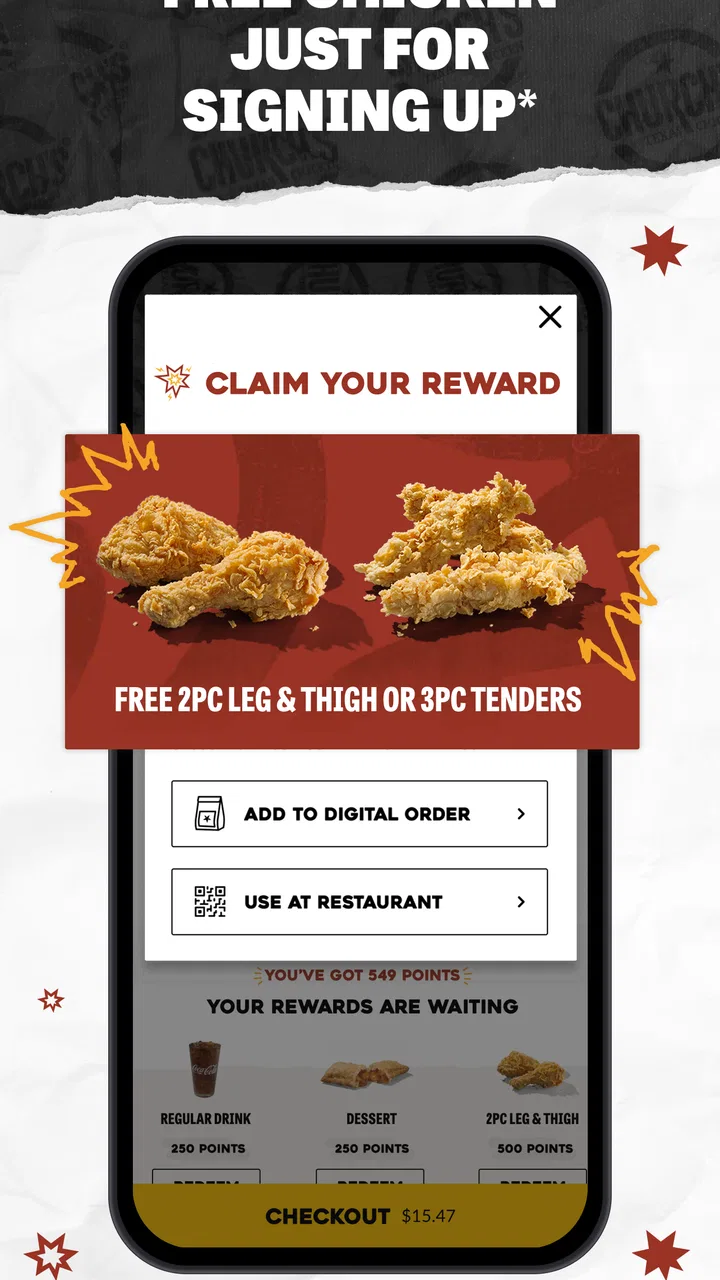
The Real Rewards element gives the app more value for regular customers than for someone who visits Church’s once in a while. A loyalty feature is most useful when it fits naturally into an existing habit: I order from the same restaurant, use the same account, and remember to check the reward balance or available benefit before completing the next purchase.
My advice is to treat rewards as something to review during checkout, not as the only reason to install the app. If I am ordering a meal anyway, checking the account can be worthwhile. If I am changing my order just to chase a reward, the benefit may not justify the extra food or expense. The app is better when the loyalty system supports a normal purchase rather than pushing me into one.
For repeat use, I would establish a small routine: open the app while connected to a dependable network, choose pickup or delivery deliberately, inspect the basket, and check the rewards area before the final confirmation. That sequence is more reliable than rushing through familiar screens. It also helps me notice when I am ordering for a different group size or from a different location.
One trade-off is that a restaurant-specific loyalty system is less flexible than a general delivery service that combines many brands. A marketplace can be more convenient when I want to compare delivery options or add food from different restaurants. Church’s own app is the better fit when I want a direct relationship with this particular chain and expect to order from it again.
Keeping mobile use practical and data-conscious
Because the app is built around live ordering, I would use it when I have a stable Wi-Fi or cellular connection rather than repeatedly opening it in a weak-signal area. This is not just about saving data; it also makes the experience easier to judge. A page that loads normally gives me more confidence that the menu, location, and checkout information are current for the session.
I would avoid refreshing screens simply because they take a few seconds. Repeated refreshes can consume more mobile data and make it harder to tell which version of the page is active. Waiting, checking the basket once, and continuing is a cleaner workflow. If I am on a limited data plan, I would prepare the order while connected to Wi-Fi and use mobile service only for the parts that genuinely need attention away from home.
Another useful habit is to avoid building an order while distracted by other mobile tasks. Switching between apps can make me lose the context of what I have already selected, especially if the connection is slow and the ordering screen has not fully updated. I prefer to complete the order in one focused session, then keep the confirmation details available for reference.
Privacy and account comfort also matter in a practical way. Anyone who dislikes maintaining separate restaurant accounts may prefer ordering as a guest through a general service, when that option is available to them. On the other hand, regular Church’s customers may consider the account worthwhile because it keeps the loyalty experience tied to their restaurant orders instead of splitting it across different platforms.
Who should use it, and who may prefer another option
I would suggest this app to frequent Church’s customers, people who prefer pickup over waiting in line, and households that want a direct delivery route from the restaurant. It is also a sensible choice for anyone who wants to check Real Rewards as part of a normal order. The free price removes the main barrier to trying it, so the decision mostly comes down to whether the restaurant’s ordering options match the user’s habits.
I would be less enthusiastic about it for someone who rarely eats Church’s, wants to compare many nearby restaurants, or needs a single basket containing food from several places. A general delivery marketplace may be more convenient in those situations, even if it adds another layer between the customer and the restaurant. Calling the restaurant can also be better when the order is unusual, the connection is unreliable, or the customer needs to clarify something that the standard app flow does not make easy.
It is also not the app I would choose for a last-second order from a weak-signal location. The direct workflow is efficient when it works in a calm setting, but connectivity becomes part of the experience. Users who expect every ordering step to remain available regardless of reception may find that frustrating.
My connectivity verdict
After using it as a restaurant-ordering companion, I see Church’s Texas Chicken® as a focused and useful option rather than an all-purpose food app. Its strongest qualities are the direct connection to Church’s ordering, the choice between pickup and delivery, and the Real Rewards angle for repeat customers. The experience is clearest when I plan ahead, use a dependable connection, and check the order carefully before submitting it.
The main limitation is equally practical: the app’s most important moments depend on live connectivity. That affects loading, location selection, checkout confidence, and recovery when something interrupts the session. I do not consider that a reason to avoid it, but I do consider it a reason to use the app deliberately instead of treating it like a guaranteed offline menu or a replacement for every restaurant-ordering situation.
For me, the deciding question is simple: do I already want Church’s, and can I place the order somewhere with a reliable connection? If the answer is yes, this free app is an easy recommendation, especially for regular pickup or delivery and for customers who want to keep Real Rewards in the same workflow. If the answer is no, a broader food service or a direct conversation with the restaurant may fit better. The app succeeds when its narrow focus matches the meal I am actually trying to order.
FAQs for Church's Texas Chicken®
01What features does the Church's Texas Chicken® app offer?
The Church's Texas Chicken® app provides a convenient way to explore their menu, locate nearby restaurants, and access exclusive deals. Users can customize their orders, save their favorites for quick access, and receive notifications about promotions. The app also supports secure payment options for seamless transactions.
02Is the Church's Texas Chicken® app free to download and use?
Yes, the Church's Texas Chicken® app is free to download on both Android and iOS platforms. While there are no charges for using the app itself, users will need to make payments for any food orders they place through it. The app may also offer in-app promotions for discounts.
03How does the rewards program work in the Church's Texas Chicken® app?
The rewards program in the Church's Texas Chicken® app allows users to earn points with each purchase. These points can accumulate and be redeemed for discounts or free menu items. The app provides an easy way to track your points balance and explore available rewards, ensuring a rewarding experience for loyal customers.
04Can I customize my order using the Church's Texas Chicken® app?
Absolutely! The app allows you to customize your order to fit your preferences. You can select specific ingredients, choose portion sizes, and make modifications to suit dietary needs. This feature ensures that your meal is tailored exactly to your liking, enhancing your overall dining experience.
05Is my payment information secure with the Church's Texas Chicken® app?
Yes, the Church's Texas Chicken® app uses advanced encryption methods to protect your payment information. The app is designed with security in mind, ensuring that your personal and payment details remain confidential and secure. Users can opt to save their payment information for quicker future transactions.
Pros
- User-friendly interface for easy navigation.
- Quick access to menu and promotions.
- Order tracking feature is very reliable.
- Customization options for orders.
- Loyalty rewards program is generous.
Cons
- Limited payment options available.
- Occasional app crashes reported.
- Some features require location access.
- Notifications can be intrusive at times.
- Delivery areas are somewhat restricted.

Church's Texas Chicken®
Gallery